A practical guide from RiploDraft preview

The essential Claude skills pack for MBB-style slides.

This skills pack gives Claude a process for structuring, building, and reviewing consulting-style slides. Read the draft outline below; the skills files and PDF guide are coming soon.

Your skills packFiles coming soon

Three skills, a practical setup guide, and a worked deck example.

Read the draft outlineThe outline is open below. We will add the files here.
From your brief to an editable deck

Give your ideas somewhere to take shape.

Connect Claude to Riplo Slides, create your deck, and keep editing as your thinking develops.

Try Riplo Slides
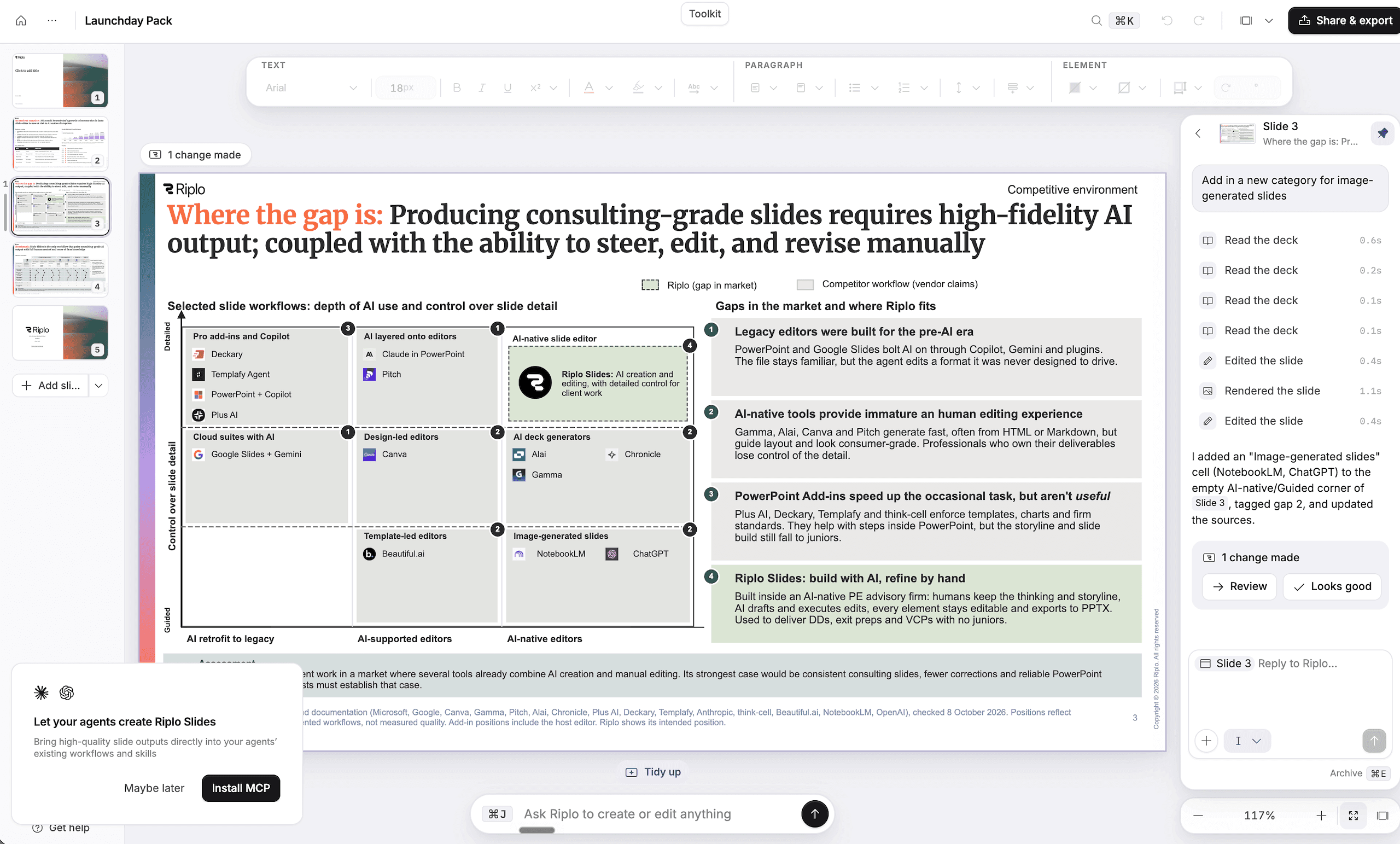
Riplo SlidesProduct preview
Riplo Slides with a presentation and slide editing tools
The Riplo Slides editor · Product screenshot; pack example to follow
Skill 01 / Shape the story

Start with the decision your audience needs to make.

A strong deck answers a question. Before you ask Claude for slides, state who will read them, what they need to decide, and what evidence you have.

The first skill will turn that brief into a proposed storyline. Each slide should make one point, and each point should help the reader understand the recommendation.

Review the storyline before you work on the layout. Read the slide titles in order: they should tell the story even without the charts underneath.

What to check

  • Name the audience and the decision.
  • Write the recommendation in one sentence.
  • Give each slide a title that states its point.
A process you can use again

Keep your team’s methods close to the work.

Bring reusable guidance into your workflow with Riplo playbooks.

Try Riplo Slides
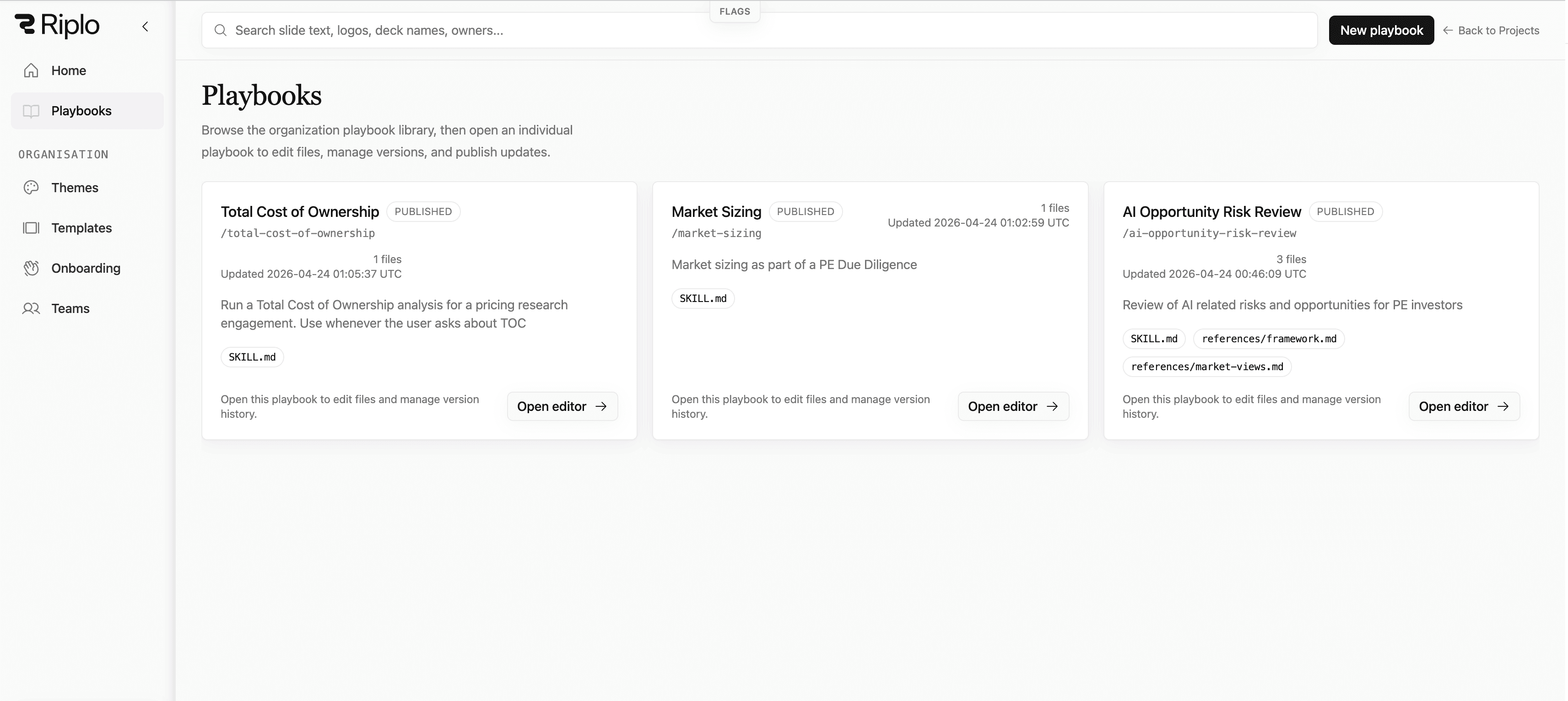
Riplo SlidesProduct preview
Riplo playbooks with reusable skills and guidance
The Riplo playbook library · Product screenshot; pack example to follow
Skill 02 / Build the evidence

Make the evidence do the work.

A chart should help the reader test a claim. Choose the comparison first, then choose the chart that makes it clear.

The second skill will ask Claude to separate facts, assumptions, and gaps. Keep the source, date, and units beside the data so you can check them before they enter the deck.

If the evidence does not support the message, change the message or do more research. A polished slide cannot close a gap in the argument.

What to check

  • Link each claim to its source.
  • Show units, time periods, and assumptions.
  • Mark missing evidence for further work.
Your judgement, down to the detail

Keep the final say on every slide.

Refine the text, charts, and layout in Riplo Slides before you export to PowerPoint or PDF.

Try Riplo Slides
Riplo SlidesProduct preview
An editable presentation in Riplo Slides
Edit the draft before you share it · Product screenshot; pack example to follow
Skill 03 / Review the deck

Review the argument, then refine the slides.

The final skill will give the draft a separate review. Start with the logic: does the evidence support the recommendation, and can the reader follow each step?

Next, check the slides themselves. Use consistent terms, make labels readable, and remove detail that does not help the reader make the decision.

Use Claude’s review as a list of points to check. Make the final changes yourself in Riplo Slides, then export the deck when it is ready.

What to check

  • Read the deck as your audience would.
  • Check facts, labels, and calculations.
  • Edit the final wording and layout yourself.
Put it into practice

Start with your next real brief.

Connect your assistant now. Add the pack when the files are ready.

Connect Claude to Riplo Slides
  1. 01

    Connect Claude to Riplo Slides

    Add the Riplo connector and sign in with your Riplo account. The MCP guide has the steps for your client.

  2. 02

    Add the skills pack when it is ready

    The final download will include the skills files and their setup guide. This page currently shows the draft outline.

  3. 03

    Use your next real brief

    Give Claude your audience, decision, and source material. Review the storyline, then create and refine your slides.

Before you start

A few practical questions.

All FAQs
Where can I get the pack?

The draft outline is on this page. We will add a direct download for the skills files and PDF guide here when they are ready. You will not need to submit an email address to get the pack.

What does MBB-style mean here?

It means a clear recommendation, evidence behind each claim, and slides that make the argument easy to follow. The outline focuses on those working habits.

How do I connect Claude to Riplo Slides?

Add Riplo Slides as a custom connector with https://os.riplo.ai/api/mcp/slides, then sign in with your Riplo account. Our MCP guide covers Claude web, desktop, and Claude Code.

Can I edit and export the slides?

Yes. You can change the text and layout in Riplo Slides, then export your deck to PowerPoint or PDF.

RiploFrom the team at Riplo

Good slides start with careful thinking.

Riplo brings AI advisory and software together. This draft guide sets out a simple process for the story, the evidence, and the final review.

Meet Riplo advisory
Riplo Slides

Give your next deck a clearer starting point.

Try Riplo Slides