
Start with the story.
Bring a brief to Claude or ChatGPT. Set the audience, the decision, and the argument before you build.
Riplo Slides helps you create and edit slides with AI. Connect Claude or ChatGPT, shape your story, and keep control of the final deck.
For the work that needs your judgement.
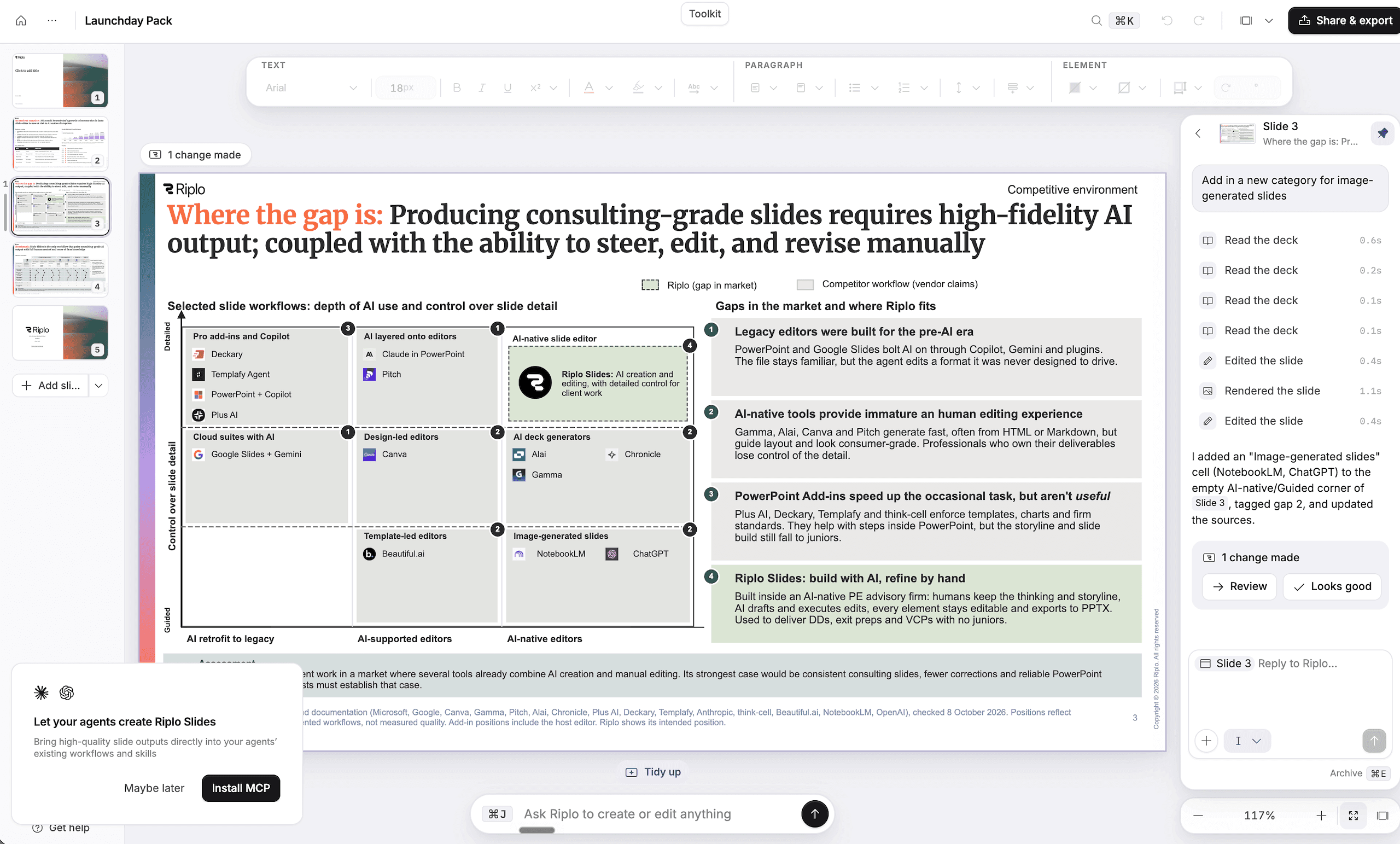
AI helps with the first pass. You bring the context, check the evidence, and make the call.
Bring a brief to Claude or ChatGPT. Set the audience, the decision, and the argument before you build.
Use Riplo to create slides from your content. Templates and layouts give your work a clear structure.
Review every slide. Edit the detail in Riplo, then share your deck or export it for the next conversation.
Keep the parts that make the work yours: the story, the evidence, and the way you present it.
Change text, charts, and layouts directly.
Use templates and themes across your team.
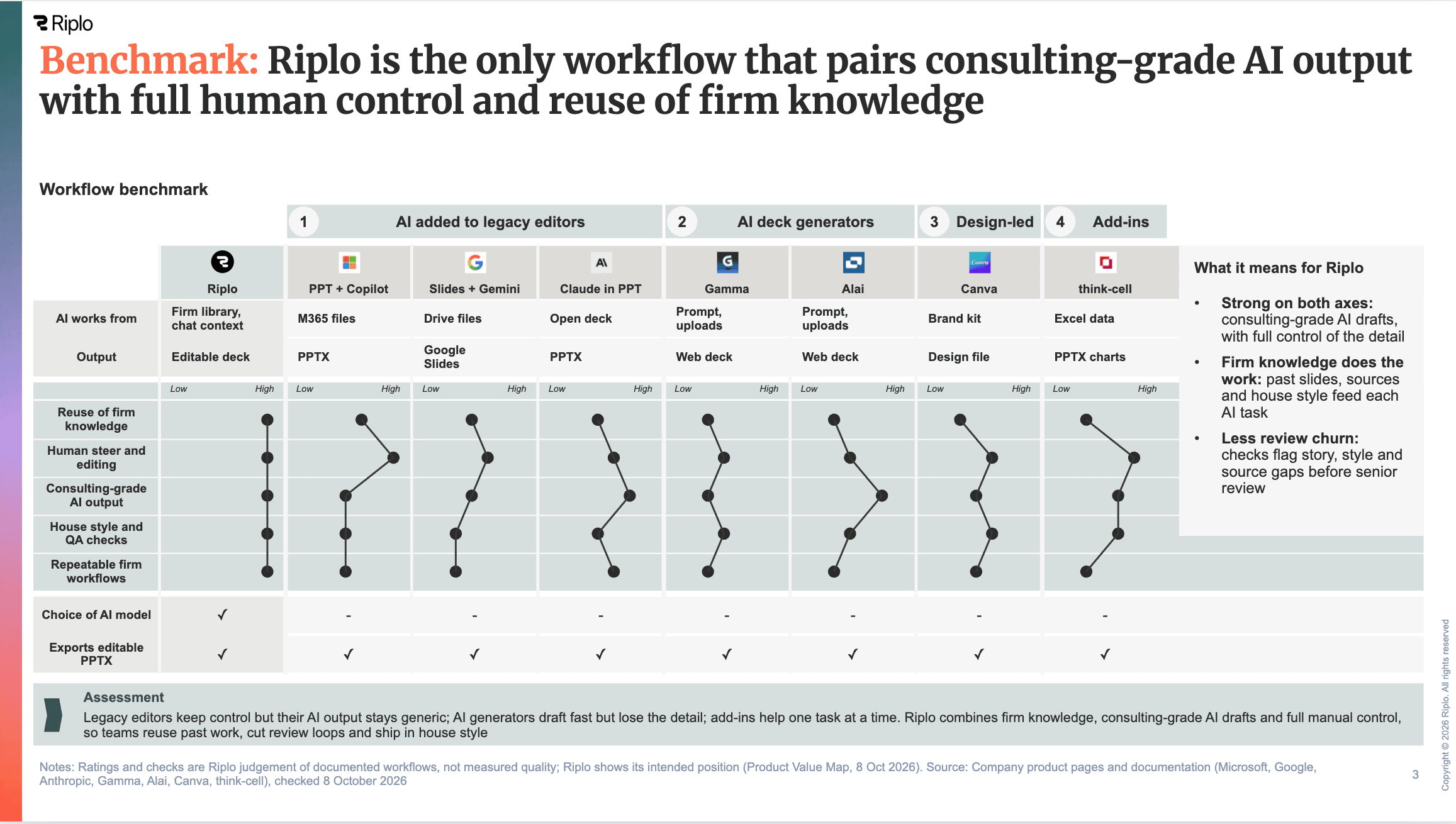 The detail is still yours to change.
We will add an approved customer quote and a finished deck.
See how workspace access and connector permissions work.
Riplo Slides is a workspace for creating and editing slides with AI. Use it to turn a brief into a deck, then refine the story, content, and layout.
Yes. Add Riplo Slides as a custom connector in Claude, then sign in with your Riplo account. The MCP setup guide gives the server address and steps for Claude web, desktop, and Claude Code.
Yes. Add the Riplo Slides MCP server as a ChatGPT plugin and sign in with your Riplo account. The MCP setup guide covers ChatGPT web and desktop. Access depends on your account and workspace settings.
Yes. You can edit slides in Riplo after AI creates them. Change text, charts, and layouts as you review the deck.